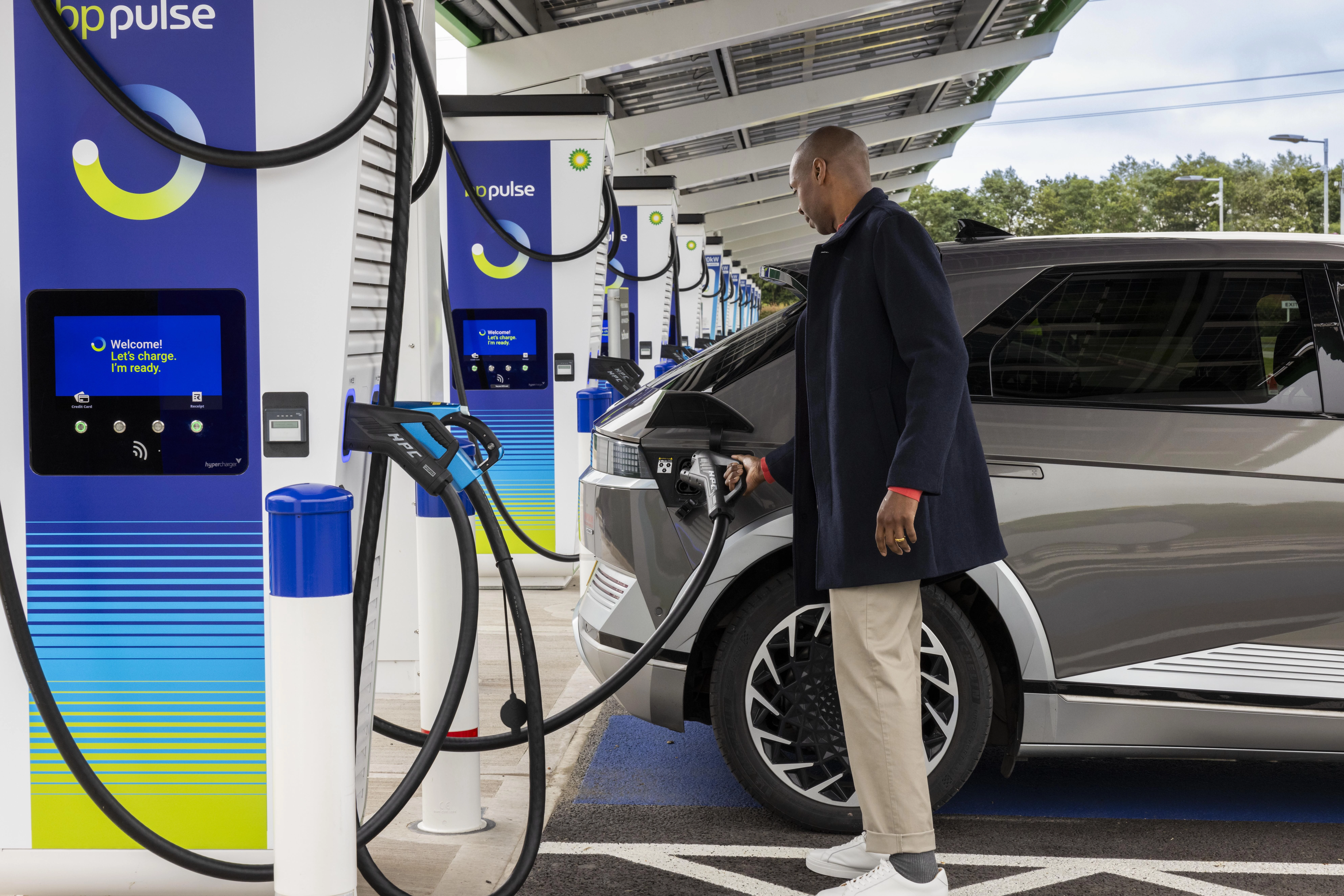
Save over £90 a year with a free 12-month bp pulse subscription
As an Amazon Flex delivery partner, sign up today for your free membership
Download the app
Free 12-month bp pulse subscription for Amazon Flex Delivery Partners
As an Amazon Flex delivery partner, you can enjoy the benefits of a free 12-month subscription to bp pulse (usually £7.85 a month).
You will save over 20%* on bp pulse contactless EV charging rates and get 50%** off any hot beverage at participating Wildbean Cafes!
Your bp pulse subscription perks:
Free Annual Subscription
Free 12-month membership to bp pulse by subscribing using your Amazon Flex discount code
Discounted charging
Save over 20%* on our contactless rates when you download the bp pulse app and subscribe to bp pulse
50% off hot drinks
50%** off all Wild Bean Cafe hot drinks when charging your vehicle at participating bp stations.
Convenient charging
Find the closest available ultra-fast and rapid chargers on the go with our bp pulse app and start your charge using your bp pulse charge card.
How to claim your exclusive offer
Download the bp pulse app: Navigate to your app store, select the bp pulse app, then download and install it on your phone.
Set Up an Account: Go to the profile section. You will need your mobile phone number and email address to create an account. Verify your phone number with the code received and verify your email address through the link sent to your inbox.
Email Verification: Click on the verification link sent to your email and complete the registration process by entering your first name and surname, ensuring there are no spaces at the end.
Go to Subscribe and Save in the profile section to set up your subscription. You will only be able to claim your exclusive partner benefits as a bp pulse subscriber.
Enter your credit/debit card details: Add your payment card and billing details. This card will be used to take your subscription payments. You can change it later or select a different payment card for your subscription and charging activity if you choose.
Enter your Amazon Flex offer code: This exclusive offer code will be sent to you via email from Amazon Flex, so please check your inbox.
Click ‘confirm and authorise’ and wait for the success screen.
Order your free bp pulse charge card. Click the ‘get a free bp pulse charge card’ button and select the payment card you would like to link to it. Add your shipping address and voilà! You are fully set up. Your bp pulse charge card should be with you within 14 days.
Having trouble?
Give our friendly Customer Care team a call on 0800 464 3444
Step by step
How to sign-up
Find out how to set up your subscription in this short video
FAQs
bp pulse is an end-to-end developer of innovative electric vehicle charging solutions that enable electric vehicle drivers across the UK to charge at work and on the go. We offer a subscription-based program for electric vehicle owners.
With bp pulse’s monthly subscription you can charge your electric vehicle at a discount at all bp pulse charging stations and get a hot beverage of your preference at 50%** off at any participating Wild Bean Cafés.
For more information on how to charge on the go, visit our FAQs page here.
Your bp pulse subscription discounted to just £2 / month!
An average of 20% off bp pulse standard contactless charging rates*
50% off hot drinks at Wild Bean Café on participating forecourts**
A free bp pulse charge card to start and end your charge (please order yours in the app)
24/7 customer care, 365 days a year - so we’re there whenever you need us
For other perks, please contact our customer care team.
Once you complete onboarding as an Amazon Flex delivery partner, you will receive an email from Amazon Flex with your unique offer code to access exclusive bp pulse discounts. You can use the exclusive offer code in the email from Amazon Flex to set up your bp pulse account in the bp pulse app. Download the type: entry-hyperlink id: 1Tm6gjXEXpZCKaaF7BxMKh.
This code is to set up and activate your account in the type: entry-hyperlink id: 1Tm6gjXEXpZCKaaF7BxMKh. You will only need to enter this code into the bp pulse app when you first sign up. Your account will then be verified for future use. Note, your offer code is unique to you and valid for one-time use during sign-up and set up of your account. Do not share your offer code with other people.
Once you complete onboarding as an Amazon Flex delivery partner, you will receive an email from Amazon Flex with your exclusive offer code to sign up for bp pulse subscription, as well as detailed guidance on how to sign up. You will receive this email within 1 week of selecting a delivery area in the app.
Offer codes can be added to your account by selecting ‘Profile’ at the bottom of the screen and then ‘Offers and Promotions’.
If you have any ‘active offers’ you will be able to view these here along with any ‘Used and expired offers’.
Select ‘Add new offer code’ and input the code provided. You can have up to 10 active offers live on your account at once, and only one of these can be a subscription offer. If the code you have added provides a subscription benefit and contradicts another offer you have live on your account you will be prompted to ‘replace your current offer’ if you wish to do so.
Once added you can view your active offers to see the amount of time remaining, expiry date and also any credit left.
Expired and used offer codes can be viewed within your account by selecting ‘Profile’ at the bottom of the screen and then ‘Offers and Promotions’.
All historic ‘Used and expired offers’ these will be shown here.
Yes, if you have an existing bp pulse subscription and want to access the Amazon Flex discounted rates, go to the ‘Offers and Promotions’ section in the bp pulse app and insert your bp pulse offer code from Amazon Flex (check your Amazon Flex inbox) in the ‘Add new offer code’ section.
You will only need to enter this code into the bp pulse app when you first sign up. Your account will then be verified for future use. Note, your offer code is unique to you and valid for one-time use during sign-up and set up of your account. Do not share your offer code with other people.
Yes, your offer code will be valid for 6 months from time of receipt, so make sure to redeem your offer before it expires.
Also note that your code can only be used once when setting up the account. Once the code has been used, you cannot re-use it.
If you received your offer code prior to 4th February 2025 and have not yet redeemed it, this code has now expired. Please check your inbox from Amazon Flex, as you have been sent a new active offer code.
If your offer code is still not working, please contact bp pulse directly via heretohelp@bp.com or call us on 0800 464 3444.
If you signed up to a bp pulse account before 4th February please follow the process below if your monthly direct debit fails: If your payment is declined at the first collection attempt, bp pulse will attempt to retry payment collection twice (this will be done weekly on a Friday). If payment cannot be collected, your bp pulse account will be converted to a pay as you go account and you will need to settle your outstanding payment via a BACS transfer. Once your payment has been made and the outstanding bill has been settled, please contact the bp pulse customer care team to reactivate your bp pulse subscription account.
If you signed up to a bp pulse account on or after 4th February please follow the process bellow: If your charging transaction payment fails, you will be blocked from completing any further charges via the bp pulse app and your bp pulse charge card. Your account will only be unblocked once you have made payment on your outstanding charging transaction. To complete your transaction payment, please follow the steps below:
In the navigation bar at the bottom of the screen, tap on ‘Profile’
Tap on ‘Recent transactions
Select ‘Charge activity’ from the top menu option if not already selected.
Tap on the transaction that is flagged as ‘Unpaid’
Tap ‘Make a payment’
Enter the payment flow to complete payment.
If your monthly subscription fee payment fails, you will be temporarily blocked from charging with your bp pulse app and your bp pulse charge card. Your account will be unblocked, and you will be able to charge once you have made your outstanding subscription fee payment. To make your fee payment, please follow the steps below:
Tap ‘Retry payment now’ to retry the payment on the same card
Tap ‘Change’ next to the existing card details to add new card details or switch to another card saved on the account. You will need to confirm your CVV number if switching to an existing saved payment card
If successful, the ‘Success! Subscription payment complete’ screen will be shown, and your charging will be unblocked via the bp pulse app and bp pulse charge card, and you will be an active subscriber again.
Please note: you may have a new billing date based on the date of successfully making payment for the monthly subscription fee e.g. if payment failed on the 10th, then they successfully paid on the 15th, then the 15th of next month will be the next billing date.
If unsuccessful, the ‘Something went wrong’ screen will be shown.
Tap ‘Go back and try again’ and this will return you to the ‘subscription paused’ screen to retry payment.
Your subscription will be set up instantly once your payment card is added and your subscription set up request is successfully confirmed. Then you can immediately begin charging through the app to make the most of your discounted subscription rates from day one.
If you signed up to a bp pulse account before 4th February please follow the process below:
You can check your subscription status in the bp pulse app in Profile > Membership.
If you signed up to a bp pulse account on or after 4th February please follow the process bellow:
You can view your subscription details in the bp pulse app in Profile > My Subscription
bp pulse will send you your free charge card, once your order has been confirmed within the app. Until it arrives you can still begin to charge immediately through the app making the most of your discounted subscription rates from day one.
Please ensure the correct shipping address is inputted. If your charge card hasn’t been received after 14 days, please contact the bp pulse customer care team on 0800 464 3444.
Simply present your bp pulse app at the register once you have charged your vehicle and you will receive 50%** off a hot beverage of your choice at participating Wild Bean Cafés. This discount is only available to EV drivers using bp pulse whilst charging their vehicle.
If you need support with your bp pulse offer code or your account, please reach out to bp pulse directly. bp pulse has a dedicated customer care team to respond to any issues or queries related to your account. Simply email heretohelp@bp.com or call us on 0800 464 3444 with any questions or concerns about your account.
Terms
For full terms and conditions that apply, see offer terms for more details.
*Payment by bp pulse charge card or via bp pulse app is required. Discount not available on non-participating chargers. Rates & average subscriber savings are subject to change and can vary across the bp pulse network – check the app for latest prices.
**50% off hot drinks only available to EV drivers while charging their electric vehicle at participating bp owned & operated sites, at the point of purchase with your bp pulse charge card or app to redeem your hot drink. One discounted drink per charge per visit. Subject to availability. Offer available until 31st March 2025. Full Ts & Cs can be found by clicking here.